
A garage door remote not working is more than a minor inconvenience; it is a significant disruption to your home’s security and daily efficiency. When your motor unit fails to respond to a wireless command, the cause ranges from simple power loss to complex garage door signal interference. Relying on manual operation is a temporary fix that overlooks underlying mechanical or electronic vulnerabilities. To restore seamless access, you must diagnose the specific failure point within your residential and commercial garage door service setup.
Mastering garage door remote fixes begins with understanding the delicate communication between your transmitter and the wall-mounted control panel. Issues like cold weather battery drain or LED bulb interference often mask themselves as total hardware failures, leading to unnecessary replacement costs. By applying proven DIY garage door solutions, such as checking your safety sensors or utilizing the learn button, you can often resolve the glitch yourself. However, persistent malfunctions may indicate deeper home security risks (random opening) that require a professional diagnostic approach.
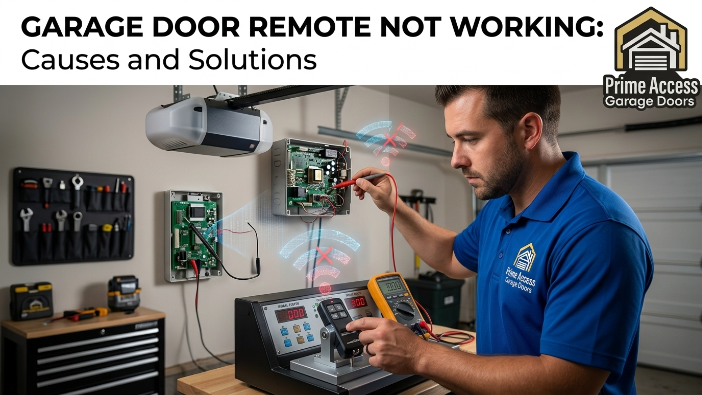
How Garage Door Remotes Work
A garage door remote operates as a low-power radio transmitter that sends a specific frequency code to the motor unit to trigger the opening mechanism. When you press the button, the device broadcasts a signal—often using rolling code technology—to ensure that only your specific encrypted transmitter can gain access. This wireless handshake is the foundation of modern residential security, preventing unauthorized entry while providing convenience. Understanding this frequency-based communication is the first step in identifying why a system fails to respond during daily operation.
If the communication link between the transmitter and the receiver is broken, the entire system becomes a manual lifting task. Most homeowners overlook the fact that the wall-mounted control panel acts as the primary hub for these signals, often housing the antenna or the lockout settings. Troubleshooting requires a systematic approach to determine if the failure is in the handheld device, the environmental frequency, or the internal logic of the opener. High-level maintenance begins with verifying this signal path before jumping to expensive hardware replacements or motor repairs.
Common Garage Door Remote Issues
Identifying common garage door remote issues requires looking beyond the obvious “dead battery” excuse and analyzing the environment. A frequent culprit for signal failure is LED bulb interference, where the electromagnetic field from cheap bulbs cancels out the remote’s radio frequency. Furthermore, garage door sensor alignment plays a critical role, as the motor unit will often refuse to acknowledge a “close” command if the safety beams are even slightly obstructed or dirty.
You must also consider smart home device interference, as the proliferation of 2.4GHz and 5GHz devices in modern homes can crowd the specific bandwidth used by older openers. Regular professional garage door maintenance is the only way to ensure these various electronic and mechanical components remain in perfect synchronization year-round.
What Causes Garage Door Opener Remotes to Stop Working?
The most frequent hardware failure is cold-weather battery drain, which significantly reduces the voltage output of your transmitter’s cells during winter months. When the voltage drops, the signal strength becomes too weak to reach the motor unit, resulting in intermittent or total failure. You should also check the garage door lock feature on your interior wall station, as this is often accidentally toggled, effectively “vacationing” the system and blocking all remote signals.
If the hardware is powered but unresponsive, you may need to access the learn button on the motor head to reprogram the garage door remote back into the system’s memory. Over time, physical wear on the remote’s internal contacts can also lead to failure, requiring a transition to a universal garage door remote for continued access.
Dealing with Signal Interference
Radiofrequency crowding is a primary reason for garage door signal interference in densely populated areas. Nearby high-power antennas or even malfunctioning appliances can create a “noise” that drowns out your remote’s command.
You must isolate the source by testing the remote at different distances to see if the range has been compromised. If the door only opens from a few feet away, your antenna wire may be damaged or shielded by metal objects.
Managing Battery and Power Health
You must replace garage door remote batteries at the first sign of decreased range to avoid being locked out. Standard alkaline batteries often leak or fail prematurely under the high-stress cycles of a motorized garage entry.
Consider using lithium alternatives that offer a more stable discharge rate, especially in climates prone to extreme temperature swings. A consistent power supply is the backbone of any reliable
Resetting the Logic Board
Sometimes the opener’s internal computer glitches, requiring a hard reset to restore the connection between the remote and the motor. To do this, unplug the motor unit for thirty seconds to clear the temporary memory before attempting a re-sync.
This simple step often resolves “phantom” issues where the remote is functional, but the receiver has stopped listening. It is a mandatory diagnostic step before assuming the hardware is permanently broken.
Why Is My Garage Door Not Responding to the Remote or Keypad?
When both the remote and the keypad fail simultaneously, the issue is rarely the individual devices and almost certainly the receiver or the power source. You must verify that the safety sensors at the base of the door tracks are glowing solid, as a flickering light indicates a blockage that prevents the door from moving.
This is also the time to address home security risks (random opening), which can occur if the logic board is shorting or receiving “ghost” signals from a neighbor’s aging system. For residents in the Lower Mainland / Vancouver, humidity and salt air can corrode these sensitive electronics faster than in inland regions. If manual overrides and basic resets fail, you likely require emergency garage door service 24/7 to secure your home.
Professional Diagnostic Steps
- Inspect the motor unit for any burnt components or frayed antenna wires that hinder reception.
- Verify the alignment of safety sensors to ensure the infrared beam is unobstructed and clean.
- Check the wall-mounted control panel for a flashing diagnostic light that indicates a specific error code.
- Confirm that the garage door lock feature is disabled so the receiver can accept wireless signals.
When to Call Titan Garage Doors
- If the door moves a few inches and stops, suggesting a mechanical failure rather than a remote issue.
- When you detect a burning smell or hear grinding noises coming from the motor unit during a cycle.
- If you need a specialized residential and commercial garage door service for heavy-duty hardware.
- When the remote works but the door exhibits erratic behavior, indicating a potential logic board failure.
Securing Your Home Entry
- Clear all smart home device interference by moving routers or signal boosters away from the garage.
- Upgrade to an encrypted system if you suspect your current frequency is easily intercepted by bad actors.
- Schedule a professional garage door maintenance visit once a year to lubricate parts and test electronics.
- Ensure your emergency garage door service 24/7 contact is saved for immediate response during a total failure.
Determining if your hardware is failing or if the environment is hostile is the only way to avoid wasting money on unnecessary replacements. Do not guess; follow this technical breakdown to isolate the failure.
How Do You Know If Your Garage Door Opener Remote Is Bad?
Determining if a remote has physically failed requires a process of elimination that starts with the internal circuitry and ends with the signal range. If the LED indicator on the handheld unit does not light up even after you replace the garage door remote batteries, the internal logic board is likely dead. You must also check for physical signs of wear, such as buttons that no longer “click” or housing that has cracked and allowed moisture to corrode the contacts.
When a second remote or the wall-mounted control panel works perfectly while the primary remote fails, the transmitter is the confirmed culprit. Furthermore, if the remote only functions when standing directly under the motor unit, the internal antenna or transmitter crystal has likely degraded beyond repair. Testing the remote against a universal garage door remote can quickly confirm whether you need a single peripheral or a full system overhaul.
Does Unplugging the Garage Door Opener Reset Remote?
Unplugging the motor unit does not “reset” the remote’s programming, as the memory is stored in non-volatile chips that survive power outages. What it does do is clear the “logic” of the receiver, which can resolve temporary glitches caused by smart home device interference or electrical surges. To perform a true reset, you must usually hold the learn button for a specific duration until the indicator light flashes or turns off.
This action wipes all paired devices from the system, forcing you to reprogram the garage door remote and any integrated keypads from scratch. If your door is acting erratically, a power cycle is a valid first step, but it is rarely a permanent fix for hardware incompatibility.
Clearing the Receiver Logic
When you disconnect power, you allow the capacitors in the motor head to discharge completely, which can fix “frozen” firmware. This is a mandatory step if your system has been exposed to a nearby lightning strike or a significant power spike in the grid.
Wait at least sixty seconds before plugging the unit back in to ensure a clean reboot of the internal processor. If the remote remains unresponsive after this, the problem lies in the encryption handshake rather than a temporary software hang.
Resyncing After Power Restoration
Once power is restored, the receiver may require a fresh signal to re-establish its rolling code sequence with the transmitter. Simply press the remote button several times in quick succession to help the motor unit “find” the encrypted frequency again.
If the door still fails to move, verify that the garage door lock feature was not triggered when the power flickered. This manual resyncing is a common requirement for older LiftMaster and Chamberlain systems that use legacy security frequencies.
Checking for Blown Fuses
In some older models, a power surge doesn’t just glitch the logic; it can physically blow a small internal fuse on the circuit board. If the motor unit shows no signs of life—no lights, no sounds—after being plugged back in, you must inspect the board for thermal damage.
A professional technician can swap these components, but for most homeowners, a blown board justifies a full motor replacement. Do not attempt to bypass these fuses, as they are critical for preventing electrical fires during a short circuit.
LiftMaster garage remote not working after new battery
A LiftMaster remote that remains dead after a battery change often suffers from “code desynchronization” or terminal corrosion. If the batteries were dead for an extended period, the remote might have lost its place in the rolling code sequence, requiring you to hit the learn button to pair it again. You must also ensure that the battery contacts are making a firm connection; even a thin layer of oxidation can prevent the necessary voltage from reaching the transmitter.
In many cases, cold weather battery drain can leave a new battery weakened if it was stored in a freezing garage before installation. Verify that you are using a high-quality lithium CR2021 or CR2032, as generic brands often lack the peak current required for high-frequency transmission.
- Check Polarity: Ensure the positive side of the battery is facing the correct direction as stamped on the plastic housing. Improper installation is the leading cause of “dead” remotes following a battery swap.
- Inspect for Corrosion: Use a cotton swab with a drop of rubbing alcohol to clean the metal contact points inside the remote. Even microscopic buildup can increase resistance and kill the signal strength.
- Frequency Misalignment: If the remote is old, the internal frequency can “drift” over time, making it unreadable to the motor. If cleaning and reprogramming fail, the internal crystal has likely shifted out of its narrow band.
- Lock Mode Status: Check your wall station to ensure the “Lock” or “Vacation” light isn’t blinking. This mode disables all radio frequency reception, making even a perfectly powered remote appear broken.
- Interference Check: Remove any LED bulb interference by temporarily unscrewing the bulbs in the opener. High-frequency noise from cheap LED drivers often drowns out the remote’s signal immediately after a fresh power-up.
Garage remote not working from outside
When a remote works inside the garage but fails from the driveway, you are facing a classic case of range depletion or external shielding. The most common cause is garage door signal interference from neighboring wireless devices, hampering the receiver’s ability to pick up the transmitter’s weak signal through a metal door. You should also inspect the antenna wire hanging from the motor unit; if it is tucked inside the metal casing or cut short, the range will be severely limited.
For residents in the Lower Mainland / Vancouver, the high moisture content in the air can actually degrade radio waves, especially if the signal has to penetrate a heavy, insulated steel door. Addressing these environmental factors is often more effective than simply buying a new remote.
Remote Range & Interference Diagnostic
| Problem Source | Diagnostic Symptom | Recommended Fix |
| LED Bulb Interference | Remote only works when the opener lights are OFF. | Replace bulbs with shielded, garage-door-rated LED or incandescent bulbs. |
| Antenna Position | Significant range drop; must be within 5 feet to operate. | Ensure the purple or grey antenna wire is hanging straight down outside the motor casing. |
| Smart Home Devices | Intermittent failure during high internet usage hours. | Move Wi-Fi routers or signal repeaters at least 10 feet away from the motor unit. |
| Safety Sensor Misalignment | Door opens from outside but will not close via remote. | Align safety sensors until both LEDs are solid; clean lenses of dust and cobwebs. |
| Signal Shielding | Remote works fine with the door open, but fails when closed. | Install an external antenna extension kit to bypass the metal door’s “Faraday cage” effect. |
| Frequency Crowding | Range is poor only during specific times of day. | Check for nearby faulty appliances or “stuck” remotes in a neighbor’s garage. |
| Low Battery Voltage | The remote LED is dim; the range decreases gradually over weeks. | Replace garage door remote batteries with high-output lithium cells immediately. |
Conclusion
A garage door remote not working is rarely a sign that you need a complete system replacement, but it does demand a methodical diagnostic approach. By isolating variables such as cold weather battery drain and LED bulb interference, you can pinpoint whether the failure is environmental or mechanical. Most DIY garage door solutions, like utilizing the learn button for a quick resync, can restore your home’s accessibility in minutes. Prioritizing these technical checks ensures your residential and commercial garage door service remains reliable and secure against external disruptions.
For persistent malfunctions that compromise your property, such as home security risks (random opening), professional intervention is the only safe recourse. Expert technicians in the Lower Mainland / Vancouver can identify deep-seated issues within the motor unit or logic board that standard troubleshooting might miss. Engaging with a trusted provider like Titan Garage Doors ensures that your safety sensors and transmitters are calibrated to professional standards. Ultimately, consistent professional garage door maintenance and access to emergency garage door service 24/7 provide the peace of mind that your entry system will perform when you need it most.
FAQS
How do I fix my garage door remote not responding?
Start by checking the wall-mounted control panel to ensure the garage door lock feature isn’t engaged, as this blocks all incoming radio signals. If the door still won’t move, use the learn button on the motor unit to reprogram the garage door remote and re-establish a secure connection.
What can interfere with a garage door remote?
Significant garage door signal interference often stems from LED bulb interference within the opener itself or nearby smart home device interference. Additionally, local radio towers or even a neighbor’s malfunctioning transmitter can crowd the frequency and decrease your remote’s effective range.
How do I reset my garage door remote?
To perform a full reset, press and hold the learn button on the motor unit for about six seconds until the indicator light goes out, which wipes the receiver’s memory. After clearing the old codes, you must immediately follow the sync process to pair your handheld or universal garage door remote back to the system.
Why is my remote not working even with new batteries?
If you replace garage door remote batteries and it still fails, the internal contacts may be corroded or the remote might have suffered “code desynchronization.” It is also possible that the safety sensors are misaligned, which prevents the motor from responding to any “close” commands for safety reasons.
How to open garage door if the remote is not working?
You can use the wall-mounted control panel inside the garage or enter a code via the exterior wireless keypad if it is functioning correctly. In the event of a total electronic failure, pull the emergency release cord (usually red) to disconnect the carriage and lift the door manually.
